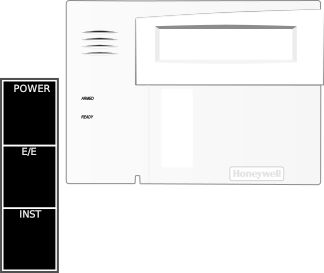
****DISARMED****\n Ready to Arm


Vista Emulator DELUXE
Power-up
Click/tap a keypad to focus it, then type like a textbox. The selected primary model always remains at ECP address
16. Settings, keypads, codes, voice options, touch-screen page selections, and zone devices persist in this browser.Keyboard target: Primary 6160 · address 16
Implemented commands
1234 1 Off / disarm1234 2 Away
1234 3 Stay1234 3 3 Night-Stay
1234 4 Maximum1234 7 Instant
1234 6 01 bypass zone 011234 6 # quick-bypass all faulted zones (requires *23=1)1234 9 Chime
1234 5 0 Walk test* show faults
#2/#3/#4/#7 Quick Arm4112 8 00 installer programming
*56 guided zone programming*58 Expert zone programming
*57 function-key programming*81 zone-list programming
*82 alpha descriptors / custom words*79/*80 recognized; output engine partial
*190–*196 keypad address options
*197 exit-time display interval*99 exit programming
# 0 1 6160V record message; 1 stops# 0 3 6160V play message
# 0 2 3 / # 0 2 6 6160V volume up/down# 0 2 4 6160V Voice Chime on/off
1234 8 02 + new + new change master code1234 8 NN + code add/change user
1234 8 NN #0 delete user4112 8 02 + new installer changes master
Keypad Bus
Add Honeywell 6160, 6150, 6160V, 6270, or 6271CV keypads. Drag each added keypad by its title bar; positions are collision-blocked and saved. Addresses 17–23 are governed by fields *190–*196.
Function Key Labels
Choose an independent physical label for keys A–D. Selecting a named label also programs its matching function. No Label Applied disables that function key; installer
*57 can later assign a function without changing the blank physical label.Zone Devices
Add wired or 5800-style RF devices. Zones 01-08 are hardwired-only; RF devices require zone 09 or higher. Device state feeds the same VISTA zone engine used by *56.
Monitoring Center
Simulated central-station receiver for reports transmitted by Vista Emulator DELUXE. Duress reports are silent at the keypad and are highlighted here.
Receiver online
0 received events
Alarm reports follow each zone's programmed report code. Open/close and bypass reports appear when their corresponding report fields are enabled.
No central-station transmissions received yet.
Duress user setup: create user
NN, then set its authority with Master + 8 + NN + #1 + 3. Using that code for a valid panel command behaves normally at the keypad while transmitting a DURESS event here.